Rock & Crystal Identifier App
SL-SolutionsEducation
4.7311.00 Reviews
- Version
- 7.3.8
- Installs
- 100.00K
- Age Rating
- Everyone
Screenshots
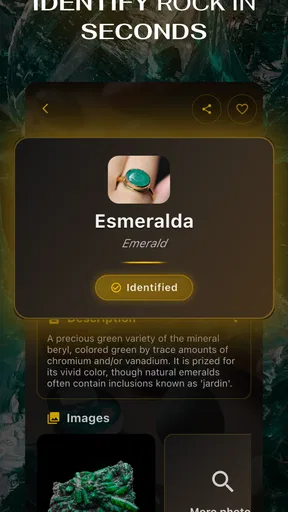
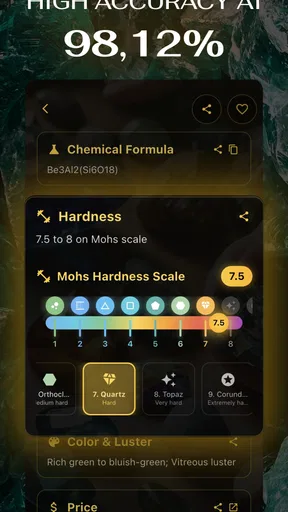
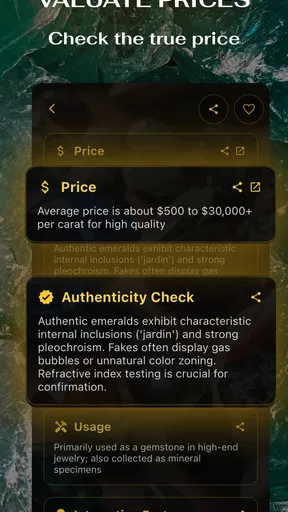
Our Review of Rock & Crystal Identifier App
 Analysis by Appyee
Identifying a stone from a phone photo sounds simple until you are standing outside with a dusty pebble, uneven light, and no idea which surface deserves the camera’s attention. That is where Rock & Crystal Identifier App becomes useful. I tested it as an educational tool for curious collectors, hikers, students, and anyone who has ever picked up an attractive stone and wondered what it might be. My overall impression is positive, but the quality of the result depends heavily on how carefully the image is prepared.
Developed by SL-Solutions, this free education app is built around recognizing rocks, crystals, stones, minerals, and gemstones from a photo or camera view. It has earned a 4.7 average from around 6,300 ratings and has passed 100,000 installs, which suggests that it appeals to more than a tiny group of specialist collectors. The current version is 7.3.8, and it works on Android 7.0 or later. The age rating is Everyone, so it is approachable for family learning as well as individual use.
Getting a useful identification starts before the first scan
The first place users can get stuck is not necessarily inside the app. It is often the sample itself. A wet stone may reflect the sky, a polished surface may hide its natural texture, and a crystal photographed in direct sunlight can lose the small details that separate one mineral from another. I found that treating the photo like a small experiment works better than pointing the phone at the object and accepting the first result.
Before opening the camera, I wipe away loose dirt without aggressively altering the specimen. I place it on a plain, contrasting background and try to show the side with the most visible grain, bands, crystals, or color variation. A single tiny fragment is naturally harder to identify than a larger piece with clear structure. If the object has several distinct faces, I capture the most informative one first rather than the prettiest one.
The camera sees visual evidence, not the story behind the stone. Its color, shape, and surface may resemble several possibilities, especially when minerals share similar tones. A result should therefore be treated as a helpful starting point for learning, not as laboratory confirmation. That distinction matters most for expensive gemstones, unusual finds, or anything being sold, valued, or used for a scientific project.
Small setup choices make a noticeable difference
I recommend checking the basics before assuming the identifier is malfunctioning. Make sure the phone is running a compatible Android release, the lens is clean, and the object is close enough to fill a useful part of the frame without becoming blurry. If the camera struggles to focus, moving the phone slightly farther away and tapping the screen’s focus area can produce a clearer image than moving in even closer.
Lighting is another common source of confusion. A bright window or open shade is usually more useful than a harsh flash aimed directly at a shiny crystal. Try to avoid strong colored lamps because they can make a neutral mineral look warm, green, or gray. If the stone is reflective, change the angle of the phone or the sample instead of increasing brightness. This reduces glare and reveals texture that would otherwise disappear.
For a first test, I prefer a dry, opaque rock with visible markings rather than a transparent or highly polished piece. This gives the app more surface information to work with and makes it easier to judge whether the result seems visually reasonable. Once the process is familiar, more difficult samples become a better challenge.
The app is free to install, but in-app purchases range from $8.99 to $59.99 per item. That makes it sensible to begin with ordinary samples and decide whether the experience fits your needs before spending anything. I would not pay for an advanced option simply because a difficult image produced an uncertain result; improving the photograph is the better first step.
What to do when the first result feels wrong
A weak or surprising identification does not automatically mean the application has failed. I use a simple recovery routine: remove the sample from the frame, reopen the camera view if necessary, improve the lighting, and take another image from a different angle. For a banded rock, the side showing the bands is more informative than a smooth end. For a crystal cluster, the face with the clearest individual crystal shapes is usually the sensible choice.
I also compare the result with the object in my hand. Does the suggested category fit the visible color, texture, and structure? If the answer is no, I do not force the match. I try a second photograph and keep the first result as a tentative clue rather than treating it as a final label. This workflow is especially useful for children, because it turns an uncertain scan into a small lesson about observation instead of a frustrating pass-or-fail moment.
Another practical technique is to photograph one specimen at a time. Placing several stones together can make the app interpret the group as one visual subject. Even when the pieces are similar, separating them produces a cleaner question. If a stone has a loose coating, soil, or a decorative finish, I take one image showing the current appearance and, when safe and appropriate, another showing a cleaner natural surface. The difference can explain why two attempts do not agree.
When the camera view is inconvenient, a saved photo can be more manageable. I can take several images first, select the sharpest one, and then use that image for identification. This is helpful outdoors, where wind, glare, or poor footing makes a careful live scan awkward. It also lets me keep a small visual record of finds for later comparison.
Separating app trouble from phone and environment trouble
Sometimes the app is not the real cause of the problem. A dirty lens, low light, camera focus hunting, or a hand covering part of the lens can all look like an identification issue. I first test the phone’s ordinary camera on the same object. If that image is also dark, blurry, or unable to focus, the sensible fix is with the phone position, lens, or lighting rather than the identifier.
If the normal camera works but the in-app view does not, I close and reopen the app, check that the phone is not overloaded with other active tasks, and try again with a simpler sample. I avoid changing several things at once because it becomes impossible to tell which adjustment helped. A quick test with a well-lit, textured stone is more informative than repeatedly scanning the same difficult crystal.
Older phones can also make camera-based tools feel less responsive, even when the operating system is supported. The minimum requirement is Android 7.0 or later, but compatible software does not guarantee identical camera performance on every device. If the preview stutters or focus takes too long, I hold the phone steady, reduce movement, and give the camera a moment to settle before capturing the image.
Outdoor conditions deserve special attention. Sand, water droplets, and strong reflections can change the appearance of a sample from one minute to the next. I have found that taking the stone into open shade, drying it, and placing it against a neutral surface gives a more repeatable result than scanning it beside a road or stream. This is not a special feature of the app; it is simply good image practice that makes the app’s visual task easier.
How I use the results without overtrusting them
My preferred workflow is to use the app as the first stage of identification, then inspect the stone myself. I note the suggested name, look at the physical clues that support or contradict it, and take another image if the match seems doubtful. This is more valuable than collecting labels quickly because it teaches me which features matter: crystal shape, layering, grain, transparency, and surface finish.
For a family nature walk, one person can photograph a find while another records where it was discovered. The app supplies a prompt for discussion, while the location and appearance provide context. For a student, it can help create a visual starting point for a mineral report, but the final work should still use dependable educational references. For a casual collector, it is convenient when sorting an interesting handful of stones and deciding which pieces deserve deeper research.
There is also a useful trade-off between speed and certainty. The camera is faster than browsing long mineral galleries or comparing every color variation by hand. However, a visual match cannot reliably settle questions that depend on hardness, streak, density, chemical composition, or geological origin. If the distinction matters beyond curiosity, I would move from the app to a field guide, a knowledgeable local group, or appropriate testing. The app saves time at the beginning; it does not replace every later step.
This is where it differs from the usual alternatives. A traditional field guide offers more explanation and often teaches comparison in greater depth, but searching through similar photographs can be slow. A general web image search may return attractive but poorly matched examples and can encourage confirmation bias. A specialist reference is stronger for serious study, while this app is more convenient for the first question: “What might this be?” I see it as a visual shortcut and learning companion rather than a complete mineral-analysis system.
Who will enjoy it, and who should choose something else
I think Rock & Crystal Identifier App is a good fit for beginners who want a low-pressure way to explore stones. It also suits parents looking for an activity that turns a walk into observation practice, teachers introducing basic geology, and casual collectors who need help organizing curiosity before researching further. The Everyone rating supports that broad audience, although younger users may still need an adult to explain that an automated suggestion is not proof.
I would be more cautious about recommending it to a professional gem buyer, a geologist needing defensible identification, or anyone making a financial decision from the result. A polished gemstone can resemble another material under ordinary lighting, and a photograph cannot reveal every property required for a confident determination. In those situations, a specialist reference or physical examination is the better choice.
It may also be a poor match for someone who wants only a static encyclopedia. The appeal here is the camera-led interaction. If you prefer reading detailed mineral descriptions, comparing tests, and studying geological context without taking photographs, a dedicated field guide may be more satisfying. Likewise, users with an older phone or unreliable camera should expect more effort from the scanning process.
My practical verdict after using it
Rock & Crystal Identifier App succeeds because it lowers the barrier to asking better questions about ordinary stones. I like that I can begin with a photograph instead of memorizing mineral families, and I find the process most rewarding when I treat each result as a clue to investigate. The app is especially handy outdoors, where opening a large reference book or searching through unrelated images is inconvenient.
The main friction is also clear: the quality of the answer depends on the quality and usefulness of the image. Poor lighting, glare, dirt, tiny samples, and mixed objects can all lead to an unhelpful result. That is manageable once the setup routine becomes familiar, but it means the app is not a one-tap authority. I would rather see a careful user take two thoughtful photographs than accept a confident-looking label from one poor scan.
Because the app is free to try and available for a broad age group, it is easy to recommend as an entry point for casual rock and crystal identification. I would keep expectations realistic around the optional purchases, beginning with the free experience and judging its usefulness on the kinds of samples I actually find. For a hobbyist, student, or curious family, it can make a walk more engaging and give research a clear starting point.
My recommendation is simple: use it to narrow the possibilities, then verify important identifications independently. With a clean lens, steady framing, soft light, and a willingness to rescan difficult specimens, the app becomes a practical educational companion. It is not the right final authority for valuable or technically important material, but for everyday discovery, it offers a convenient bridge between picking up an unfamiliar stone and learning why it looks the way it does.
Verdict
Strengths of Rock & Crystal Identifier App
- Identifies many common rocks and crystals from a single photo.
- Useful reference for beginners learning basic mineral characteristics.
- Simple interface makes scanning quick and easy.
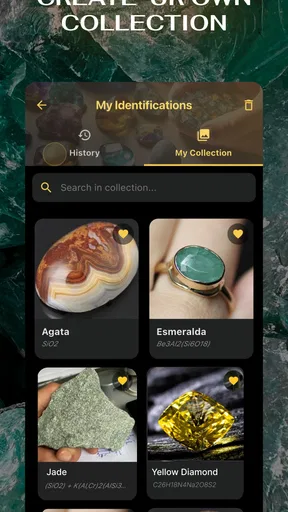
- Can help organize and revisit discoveries in one place.
- Works well as a handy field companion for casual collectors.
Limitations of Rock & Crystal Identifier App
- Photo results may be inaccurate with poor lighting or unclear specimens.
- Rare or similar-looking minerals can be difficult for the app to distinguish.
- Some features or identification details may require in-app purchases.
- The database may not cover every regional rock or crystal variety.
- It should not replace expert testing for valuable or scientifically important samples.
Other Releases by SL-Solutions
View All
Color Analysis: Beauty & Style
Beauty5.0
Similar Picks in This Category
View All
Duolingo: Language Lessons
Duolingo4.7

Google Classroom
Google LLC2.8

Unacademy: Learn & Crack Exams
Unacademy3.2

Bible App for Kids
Life.Church4.4

Cake - Learn English & Korean
Cake Corp.4.7

Brainly: AI Homework Helper
Brainly4.5
Frequently Asked Questions
What is the Rock & Crystal Identifier app used for?
Rock & Crystal Identifier is designed to help users recognize rocks, minerals, crystals, and gemstones by analyzing a photograph. After taking or uploading an image, the app compares visible characteristics with its database and presents a possible identification, along with general information such as common names, appearance, and typical uses. It is useful for beginners, collectors, students, hikers, and anyone curious about a specimen.
How accurate are the identifications provided by Rock & Crystal Identifier?
The app can be convenient for obtaining a quick preliminary identification, but its results should not be treated as a professional geological assessment. Accuracy depends heavily on image quality, lighting, camera focus, the visible surface of the specimen, and whether similar minerals share the same appearance. For valuable, rare, or scientifically important samples, confirm the result through a geologist, mineral expert, laboratory testing, or a trusted field guide.
How should I photograph a specimen for the best result?
For more reliable results, place the rock or crystal on a plain, contrasting background and use bright, even lighting without strong reflections or shadows. Clean away loose dirt if doing so will not damage the specimen, and capture several angles showing its color, texture, crystal shape, and distinctive markings. Keep the camera steady, avoid blurry images, and make sure the entire sample is visible before submitting the photo.
Does Rock & Crystal Identifier require internet access or include in-app purchases?
Some identification features may require an internet connection because image analysis and reference data can be processed online. Availability of offline tools can vary by version and device, so users should check the app’s current store listing before downloading. The app may also offer optional premium features, subscriptions, or limits on free identifications. Review the pricing, renewal terms, and trial conditions carefully before confirming any purchase.
Is Rock & Crystal Identifier suitable for identifying valuable gemstones or checking authenticity?
The app can provide an interesting first impression of a gemstone or mineral, but it cannot reliably verify authenticity, quality, treatment, origin, carat value, or market price from a photograph alone. Similar-looking stones, synthetic materials, glass, and treated specimens can easily confuse image-based tools. If you are buying, selling, insuring, or appraising an expensive stone, obtain an evaluation from a qualified gemologist or an accredited testing laboratory.
